An AI agent is not a chatbot. It's a system that receives an external stimulus, reasons about it, makes decisions, and returns a result that another system can consume. In this post we build that system piece by piece: a Next.js 16 webhook receives the request, validates it with Zod, delegates to an n8n flow that calls Claude, validates the model's response, and returns the result to the origin. No magic, no black boxes — just three pieces, well connected.
Pipeline architecture
The pipeline has four separate responsibilities that are worth keeping decoupled:
- Entry and validation (Next.js): the route handler receives the HTTP request, validates the body with Zod, and sends the payload to n8n's webhook. It's the entry gate — nothing gets in without passing through the schema.
- Orchestration (n8n): the flow receives the event, builds the request to the Claude API, executes it, transforms the response, and returns it to the caller. n8n manages state, retries, and visual flow observability.
- Reasoning (Claude): the model receives the prompt with the task content, reasons, and returns the output. With tool use we guarantee the output has the exact schema we expect.
- Output validation (Zod in the Code node): before returning the result to the caller, the flow validates that the model's response meets the expected schema. If it doesn't, it retries or returns an error.
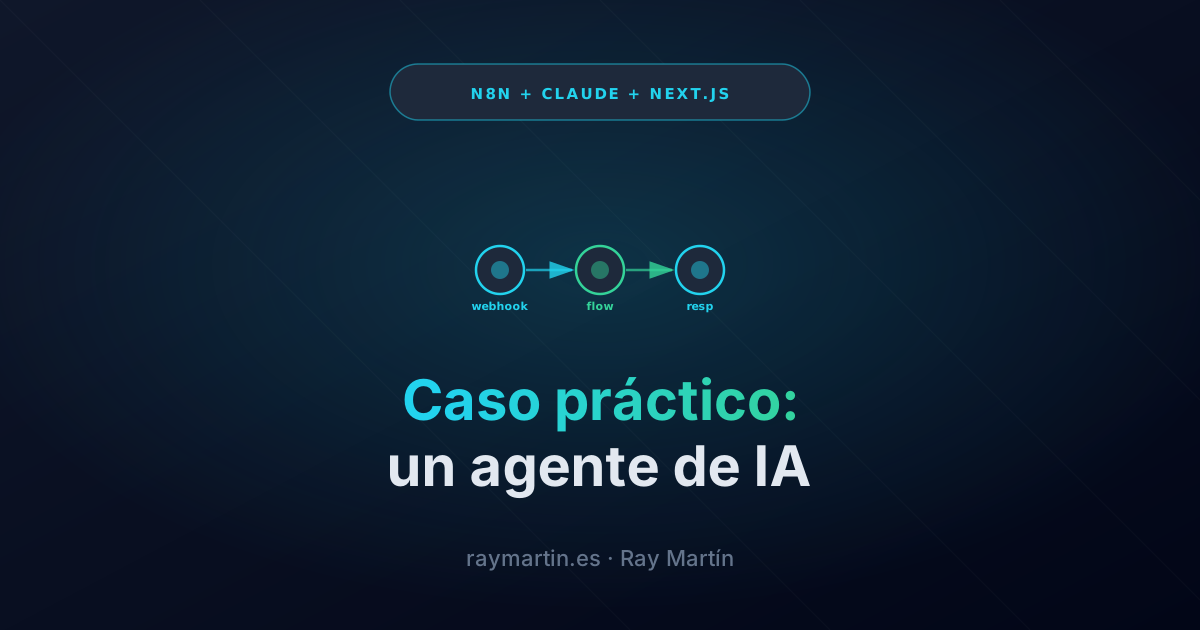
The full flow: POST /api/analyze (Next.js) → POST n8n-webhook → HTTP Request (Claude API) → Code node (validate + transform) → respond-to-webhook → Response (Next.js).
The webhook in Next.js
The Next.js 16 route handler acts as a smart proxy: validates the input, adds authentication toward n8n, and awaits the synchronous response.
// app/api/analyze/route.ts
import { z } from "zod";
import { NextResponse } from "next/server";

const AnalyzeSchema = z.object({
  content: z.string().min(10).max(4000),
  type: z.enum(["classify", "summarize", "extract"]),
  language: z.enum(["es", "en"]).default("es"),
});

export async function POST(req: Request) {
  // 1. Validate the body with Zod
  let body: unknown;
  try {
    body = await req.json();
  } catch {
    return NextResponse.json({ error: "Invalid JSON" }, { status: 400 });
  }

  const parsed = AnalyzeSchema.safeParse(body);
  if (!parsed.success) {
    return NextResponse.json(
      { error: "Validation failed", issues: parsed.error.issues },
      { status: 422 }
    );
  }

  const { content, type, language } = parsed.data;

  // 2. Delegate to the n8n webhook (synchronous call — n8n responds in the same request)
  const n8nWebhookUrl = process.env.N8N_WEBHOOK_URL;
  if (!n8nWebhookUrl) {
    return NextResponse.json({ error: "Webhook not configured" }, { status: 500 });
  }

  let n8nResponse: Response;
  try {
    n8nResponse = await fetch(n8nWebhookUrl, {
      method: "POST",
      headers: {
        "content-type": "application/json",
        // Optional basic auth between Next.js and n8n
        "x-webhook-secret": process.env.N8N_WEBHOOK_SECRET ?? "",
      },
      body: JSON.stringify({ content, type, language }),
      signal: AbortSignal.timeout(29_000), // n8n has a 30 s limit
    });
  } catch (err) {
    const msg = err instanceof Error ? err.message : "Unknown error";
    return NextResponse.json({ error: "n8n unreachable", detail: msg }, { status: 502 });
  }

  if (!n8nResponse.ok) {
    const text = await n8nResponse.text();
    return NextResponse.json(
      { error: "n8n error", detail: text },
      { status: n8nResponse.status }
    );
  }

  // 3. Return n8n's response directly to the client
  const result = await n8nResponse.json();
  return NextResponse.json(result);
}
Key points: AbortSignal.timeout prevents the route handler from hanging if n8n takes longer than expected. The shared secret (x-webhook-secret) stops anyone from calling n8n's webhook directly. The Zod schema is the single source of truth for what the endpoint accepts.
The flow in n8n
The flow has three main nodes plus credential configuration. You don't need anything else for a functional pipeline.
Node 1 — Webhook: triggers the flow with Method POST. Under "Response Mode" select "Last Node" — this way n8n waits for the flow to complete and returns the last node's response to the synchronous caller. Configure the path (/analyze) and add a Header Auth to verify the x-webhook-secret.
Node 2 — HTTP Request (Claude): calls the Anthropic API. Configuration:
- Method: POST
- URL:
https://api.anthropic.com/v1/messages - Authentication: Generic Credential Type → Header Auth → Name:
x-api-key, Value:ANTHROPIC_API_KEYcredential stored in n8n. - Additional headers:
anthropic-version: 2023-06-01,content-type: application/json. - Body: JSON with the messages object. Use n8n expressions to interpolate the Webhook content:
{{ $json.content }}.
The HTTP Request body, with tool use to enforce structured output:
{
  "model": "claude-sonnet-4-6",
  "max_tokens": 1024,
  "tools": [
    {
      "name": "analyze_content",
      "description": "Analyzes the content and returns the structured result.",
      "input_schema": {
        "type": "object",
        "properties": {
          "category": { "type": "string" },
          "summary": { "type": "string" },
          "confidence": { "type": "number", "minimum": 0, "maximum": 1 }
        },
        "required": ["category", "summary", "confidence"]
      }
    }
  ],
  "tool_choice": { "type": "tool", "name": "analyze_content" },
  "messages": [
    {
      "role": "user",
      "content": "Analyze this content: {{ $('Webhook').item.json.content }}"
    }
  ]
}
Node 3 — Code (JavaScript): extracts and validates Claude's output before returning it.
Validating the model's output
LLMs are probabilistic. Although tool use dramatically reduces format failures, an explicit validation layer is the difference between a fragile pipeline and a robust one. In n8n's Code node you can write plain JavaScript — including manual schema validation or importing libraries if your instance supports it.
In the Next.js route handler (or in a separate validation endpoint), the Zod schema for Claude's output is:
import { z } from "zod";

const ClaudeOutputSchema = z.object({
  category: z.string().min(1),
  summary: z.string().min(1),
  confidence: z.number().min(0).max(1),
});

type ClaudeOutput = z.infer<typeof ClaudeOutputSchema>;

function parseClaudeToolResult(apiResponse: unknown): ClaudeOutput {
  // Response comes in content[0].input when using forced tool_choice
  const raw = (apiResponse as Record<string, unknown>);
  const content = raw?.content as Array<Record<string, unknown>> | undefined;

  if (!Array.isArray(content) || content.length === 0) {
    throw new Error("Claude response has no content array");
  }

  const toolUse = content.find((c) => c.type === "tool_use");
  if (!toolUse) {
    throw new Error("No tool_use block in Claude response");
  }

  const parsed = ClaudeOutputSchema.safeParse(toolUse.input);
  if (!parsed.success) {
    throw new Error(`Claude output invalid: ${parsed.error.message}`);
  }

  return parsed.data;
}
In n8n's Code node, the same logic in JavaScript:
// Code node in n8n — extracts and validates Claude's output
const claudeResponse = $json; // full response from the HTTP Request
const content = claudeResponse?.content ?? [];
const toolUse = content.find((c) => c.type === "tool_use");

if (!toolUse || !toolUse.input) {
  throw new Error("No tool_use block found in Claude response");
}

const { category, summary, confidence } = toolUse.input;

// Basic validation (no Zod — not available by default in n8n)
if (!category || typeof category !== "string") throw new Error("Missing category");
if (!summary || typeof summary !== "string") throw new Error("Missing summary");
if (typeof confidence !== "number") throw new Error("Missing confidence");

return [{ json: { category, summary, confidence } }];
If validation fails, the node throws an error that n8n can capture with an Error Trigger node or with the node's own error connector. This activates your failure handling flow without the error going silent.
Returning the result
With "Response Mode: Last Node" on the Webhook, n8n automatically returns the last node's output as the HTTP response. The Code node is last, so the JSON it returns ({ category, summary, confidence }) arrives directly at the Next.js route handler that made the fetch call.
To persist the result (for example, save to a database before responding), add a node after the Code node — for instance an HTTP Request node that calls your own endpoint POST /api/results, or a database node (PostgreSQL, Supabase). After the persistence node, add an explicit Respond to Webhook node to control exactly what body you return:
{
  "status": "ok",
  "result": {
    "category": "{{ $('Code').item.json.category }}",
    "summary": "{{ $('Code').item.json.summary }}",
    "confidence": {{ $('Code').item.json.confidence }},
    "savedAt": "{{ $now.toISO() }}"
  }
}
The Respond to Webhook node gives you full control over the HTTP status and response body. Use it when you want to return 201, include custom headers, or shape the response payload differently from the last node's output.
Observability and errors
An asynchronous pipeline you can't observe is a black box. These three mechanisms cover 90% of production issues.
Idempotency: if the Next.js route handler retries the n8n call after a timeout, you may execute the same event twice. Pass a unique requestId in the payload (e.g., crypto.randomUUID()) and in n8n's Code node check whether that ID already exists in your database before calling Claude. If it does, return the cached result directly.
// In the Next.js route handler — generate a unique ID per request
const requestId = crypto.randomUUID();

await fetch(n8nWebhookUrl, {
  method: "POST",
  headers: { "content-type": "application/json" },
  body: JSON.stringify({ requestId, content, type, language }),
});
Timeouts per layer: each layer needs its own timeout to prevent blocking cascades. Next.js → n8n: 29 s (just under n8n's 30 s limit in synchronous mode). n8n → Claude: set "Timeout" on the HTTP Request node to 25 s to give yourself a margin. Claude → response: max_tokens caps generation time; for short tasks 512–1024 tokens are sufficient.
Structured logs: n8n stores the execution history with each node's input and output — it's your first line of debugging. For application logs, add an HTTP Request node at the end of the error flow that posts to your logging system (Axiom, Grafana Loki, or simply a POST /api/logs endpoint in your app). The minimum useful payload:
{
  "requestId": "{{ $('Webhook').item.json.requestId }}",
  "error": "{{ $json.message }}",
  "node": "{{ $runIndex }}",
  "timestamp": "{{ $now.toISO() }}"
}
Threshold alerts: n8n has an Error Trigger node that fires whenever any flow fails. Connect that trigger to a Slack node or email to receive immediate alerts. Combine it with a counter in Redis or in a database table to alert only when the number of failures exceeds a threshold in the last 5 minutes — avoiding noise from one-off errors.
The complete guide
This post covers the functional end-to-end pipeline. The PDF guide goes deeper on everything you need to take it to production with confidence:
- Complete ready-to-clone repository: the Next.js route handler, the n8n flow exported as importable JSON, documented environment variables, and the database schema for persistence.
- n8n flow exported (JSON): import the complete pipeline into your instance in one click — Webhook node, HTTP Request (Claude), validation Code node, and Respond to Webhook already configured and connected.
- Webhook validation and security: HMAC payload signing,
x-webhook-secretverification, rate limiting in the route handler, and how to expose n8n securely behind a reverse proxy. - Complete retry strategy: exponential backoff in the HTTP node, dead-letter queue for repeatedly failing events, end-to-end idempotency, and manual replay from n8n's execution history.
- Production deployment: n8n on Railway or Render, environment variables, custom domains for the webhook, monitoring with uptime checks, and how to update the flow without downtime.