Why Advanced TypeScript Matters for React
TypeScript is not just about adding : string annotations to your variables.
When used to its full potential, TypeScript becomes a design tool that encodes business
logic, prevents entire categories of bugs, and makes refactoring fearless. In a React
codebase, advanced TypeScript patterns transform your components from loosely typed UI
elements into precisely modeled building blocks where invalid states are literally
unrepresentable.
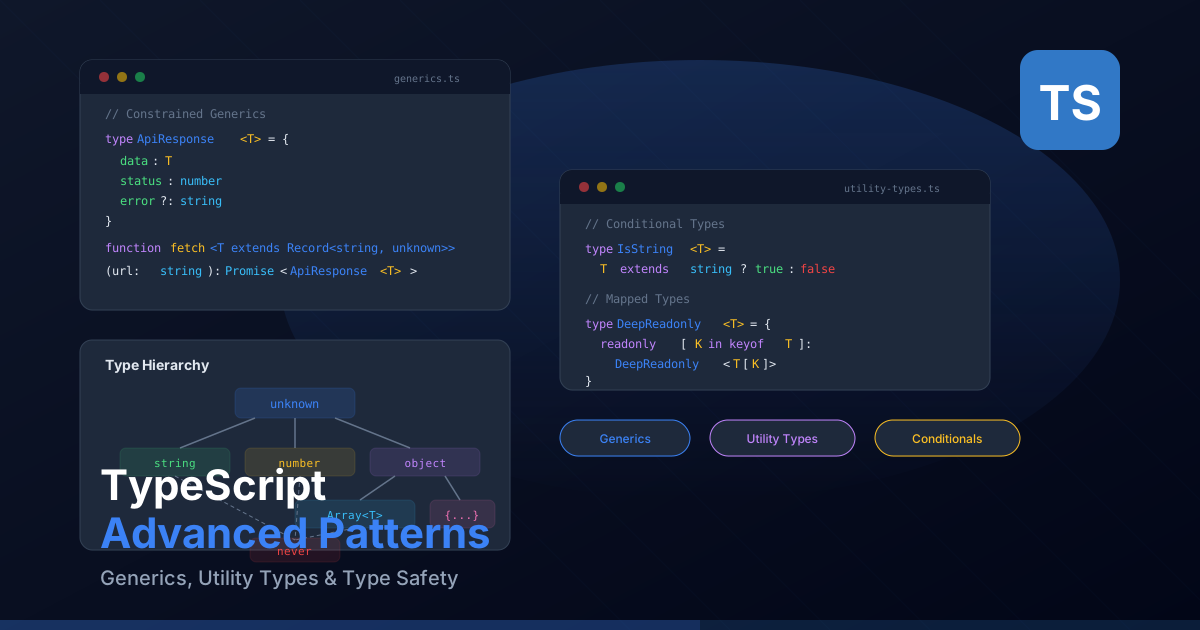
This guide covers the patterns that separate a basic TypeScript user from a power user: generics for reusable components, discriminated unions for state management, template literal types for type-safe routing, branded types for domain modeling, and polymorphic components that adapt their types based on rendered elements.
Each pattern includes practical React examples that you can apply directly in your Next.js projects. By the end, you will have a toolkit of advanced type techniques that make your codebase more expressive, safer, and easier to maintain.
Generics in React Components
Generic components let you build reusable UI elements that preserve type information
about the data they handle. Instead of using any or a union of possible
types, generics let the consumer decide the data type while maintaining full type safety.
Generic List Component
// A generic list that works with any data type
interface ListProps<T> {
  items: T[];
  renderItem: (item: T, index: number) => React.ReactNode;
  keyExtractor: (item: T) => string;
  emptyMessage?: string;
}

function List<T>({
  items,
  renderItem,
  keyExtractor,
  emptyMessage = "No items found",
}: ListProps<T>) {
  if (items.length === 0) {
    return <p className="text-gray-500">{emptyMessage}</p>;
  }

  return (
    <ul className="space-y-2">
      {items.map((item, index) => (
        <li key={keyExtractor(item)}>{renderItem(item, index)}</li>
      ))}
    </ul>
  );
}

// Usage: TypeScript infers T as User from the items prop
interface User {
  id: string;
  name: string;
  email: string;
}

<List
  items={users}
  keyExtractor={(user) => user.id}       // user is typed as User
  renderItem={(user) => <span>{user.name}</span>} // user is typed as User
/>
Generic Select Component
interface SelectProps<T> {
  options: T[];
  value: T | null;
  onChange: (value: T) => void;
  getLabel: (option: T) => string;
  getValue: (option: T) => string;
  placeholder?: string;
}

function Select<T>({
  options,
  value,
  onChange,
  getLabel,
  getValue,
  placeholder = "Select an option",
}: SelectProps<T>) {
  return (
    <select
      value={value ? getValue(value) : ""}
      onChange={(e) => {
        const selected = options.find(
          (opt) => getValue(opt) === e.target.value
        );
        if (selected) onChange(selected);
      }}
    >
      <option value="" disabled>{placeholder}</option>
      {options.map((option) => (
        <option key={getValue(option)} value={getValue(option)}>
          {getLabel(option)}
        </option>
      ))}
    </select>
  );
}

// Usage with a Country type
interface Country {
  code: string;
  name: string;
  population: number;
}

<Select<Country>
  options={countries}
  value={selectedCountry}
  onChange={setSelectedCountry}
  getLabel={(c) => c.name}         // c is typed as Country
  getValue={(c) => c.code}         // c is typed as Country
/>
Generic Table Component
interface Column<T> {
  key: keyof T & string;
  header: string;
  render?: (value: T[keyof T], item: T) => React.ReactNode;
  sortable?: boolean;
}

interface TableProps<T> {
  data: T[];
  columns: Column<T>[];
  onRowClick?: (item: T) => void;
}

function Table<T extends Record<string, unknown>>({
  data,
  columns,
  onRowClick,
}: TableProps<T>) {
  return (
    <table className="w-full border-collapse">
      <thead>
        <tr>
          {columns.map((col) => (
            <th key={col.key} className="border-b p-3 text-left font-semibold">
              {col.header}
            </th>
          ))}
        </tr>
      </thead>
      <tbody>
        {data.map((item, rowIndex) => (
          <tr
            key={rowIndex}
            onClick={() => onRowClick?.(item)}
            className={onRowClick ? "cursor-pointer hover:bg-gray-50" : ""}
          >
            {columns.map((col) => (
              <td key={col.key} className="border-b p-3">
                {col.render
                  ? col.render(item[col.key], item)
                  : String(item[col.key])}
              </td>
            ))}
          </tr>
        ))}
      </tbody>
    </table>
  );
}

// Usage: column keys are validated against the Product type
interface Product {
  id: string;
  name: string;
  price: number;
  inStock: boolean;
}

<Table<Product>
  data={products}
  columns={[
    { key: "name", header: "Product Name" },
    { key: "price", header: "Price", render: (v) => `${v}` },
    { key: "inStock", header: "Available", render: (v) => (v ? "Yes" : "No") },
    // { key: "invalid", header: "X" } // TypeScript error: "invalid" is not in Product
  ]}
  onRowClick={(product) => console.log(product.name)} // product is typed as Product
/>
Utility Types in Practice
TypeScript's built-in utility types are powerful tools for transforming existing types without duplicating definitions. Here are the most useful ones for React development:
interface UserProfile {
  id: string;
  email: string;
  name: string;
  avatar: string;
  bio: string;
  role: "admin" | "editor" | "viewer";
  createdAt: Date;
  updatedAt: Date;
}

// Pick: Select specific properties
type UserCard = Pick<UserProfile, "id" | "name" | "avatar">;
// Result: { id: string; name: string; avatar: string }

// Omit: Exclude specific properties
type CreateUserInput = Omit<UserProfile, "id" | "createdAt" | "updatedAt">;
// Result: { email: string; name: string; avatar: string; bio: string; role: ... }

// Partial: Make all properties optional
type UpdateUserInput = Partial<Omit<UserProfile, "id">>;
// Result: { email?: string; name?: string; avatar?: string; ... }

// Required: Make all properties required
type CompleteProfile = Required<UserProfile>;

// Record: Create a type with specific keys and value types
type RolePermissions = Record<UserProfile["role"], string[]>;
// Result: { admin: string[]; editor: string[]; viewer: string[] }

const permissions: RolePermissions = {
  admin: ["read", "write", "delete", "manage"],
  editor: ["read", "write"],
  viewer: ["read"],
};

// Readonly: Make all properties immutable
type FrozenUser = Readonly<UserProfile>;
// All properties become readonly — cannot be reassigned

// Extract and Exclude for union types
type AllRoles = "admin" | "editor" | "viewer" | "superadmin";
type StandardRoles = Exclude<AllRoles, "superadmin">;  // "admin" | "editor" | "viewer"
type AdminRoles = Extract<AllRoles, "admin" | "superadmin">; // "admin" | "superadmin"
Discriminated Unions for State Management
Discriminated unions are one of the most powerful TypeScript patterns for React applications. They let you model states where certain properties only exist in certain conditions, making impossible states unrepresentable.
// Model async data states with discriminated unions
type AsyncState<T> =
  | { status: "idle" }
  | { status: "loading" }
  | { status: "success"; data: T }
  | { status: "error"; error: string };

function useAsync<T>() {
  const [state, setState] = useState<AsyncState<T>>({ status: "idle" });

  const execute = async (promise: Promise<T>) => {
    setState({ status: "loading" });
    try {
      const data = await promise;
      setState({ status: "success", data });
    } catch (error) {
      setState({
        status: "error",
        error: error instanceof Error ? error.message : "Unknown error",
      });
    }
  };

  return { state, execute };
}

// Component that exhaustively handles all states
function UserProfile() {
  const { state, execute } = useAsync<User>();

  useEffect(() => {
    execute(fetchUser());
  }, []);

  switch (state.status) {
    case "idle":
      return <p>Ready to load</p>;
    case "loading":
      return <Spinner />;
    case "success":
      return <div>{state.data.name}</div>;  // data is guaranteed to exist
    case "error":
      return <p className="text-red-500">{state.error}</p>; // error is guaranteed
  }
}
Another common use case is modeling modal or dialog states:
type ModalState =
  | { type: "closed" }
  | { type: "confirm"; title: string; message: string; onConfirm: () => void }
  | { type: "edit"; itemId: string; initialData: FormData }
  | { type: "preview"; content: string };

function ModalManager({ state }: { state: ModalState }) {
  switch (state.type) {
    case "closed":
      return null;
    case "confirm":
      return (
        <ConfirmDialog
          title={state.title}
          message={state.message}
          onConfirm={state.onConfirm}
        />
      );
    case "edit":
      return <EditForm itemId={state.itemId} initialData={state.initialData} />;
    case "preview":
      return <PreviewPanel content={state.content} />;
  }
}
Type Inference with as const and satisfies
The as const assertion and the satisfies operator are two of the
most underused TypeScript features. Together, they let you define data with precise literal
types while still validating against a broader type.
// as const narrows types to their literal values
const routes = {
  home: "/",
  blog: "/blog",
  about: "/about",
  contact: "/contact",
} as const;

// Type is: { readonly home: "/"; readonly blog: "/blog"; ... }
// Without as const, it would be: { home: string; blog: string; ... }

type Route = (typeof routes)[keyof typeof routes];
// Route = "/" | "/blog" | "/about" | "/contact"

// satisfies validates the shape without widening the type
interface ThemeConfig {
  colors: Record<string, string>;
  spacing: Record<string, string>;
}

const theme = {
  colors: {
    primary: "#0c4a6e",
    secondary: "#082f49",
    accent: "#f59e0b",
  },
  spacing: {
    sm: "0.5rem",
    md: "1rem",
    lg: "2rem",
  },
} as const satisfies ThemeConfig;

// theme.colors.primary is typed as "#0c4a6e" (literal), not string
// But TypeScript verified it matches ThemeConfig's shape

// Practical React example: navigation config
interface NavItem {
  label: string;
  href: string;
  icon?: string;
}

const navigation = [
  { label: "Home", href: "/", icon: "home" },
  { label: "Blog", href: "/blog", icon: "book" },
  { label: "About", href: "/about" },
] as const satisfies readonly NavItem[];

// Each item retains literal types for label and href
// TypeScript also verified every item has the required label and href fields
Conditional Types and Mapped Types
Conditional types let you create types that depend on other types, similar to ternary expressions at the value level. Mapped types let you transform every property in a type systematically.
// Conditional type: extract the response type from an API function
type ApiResponse<T> = T extends (...args: unknown[]) => Promise<infer R> ? R : never;

async function fetchUsers(): Promise<User[]> {
  const res = await fetch("/api/users");
  return res.json();
}

type Users = ApiResponse<typeof fetchUsers>; // User[]

// Mapped type: make all properties of a type optional and nullable
type Nullable<T> = {
  [K in keyof T]: T[K] | null;
};

type NullableUser = Nullable<User>;
// { id: string | null; name: string | null; email: string | null }

// Mapped type with key remapping
type Getters<T> = {
  [K in keyof T as `get${Capitalize<string & K>}`]: () => T[K];
};

type UserGetters = Getters<User>;
// { getId: () => string; getName: () => string; getEmail: () => string }

// Practical example: form dirty tracking
type DirtyFields<T> = {
  [K in keyof T]?: boolean;
};

interface FormState<T> {
  values: T;
  initialValues: T;
  dirtyFields: DirtyFields<T>;
  isDirty: boolean;
}

// Deep partial for nested objects
type DeepPartial<T> = {
  [K in keyof T]?: T[K] extends object ? DeepPartial<T[K]> : T[K];
};

interface Settings {
  theme: {
    mode: "light" | "dark";
    colors: { primary: string; secondary: string };
  };
  notifications: {
    email: boolean;
    push: boolean;
  };
}

// Only update specific nested fields
function updateSettings(patch: DeepPartial<Settings>) {
  // merge patch into current settings
}
Template Literal Types
Template literal types let you construct string types from other types, enabling type-safe string patterns for APIs, CSS, routing, and more.
// Type-safe CSS utility generator
type Size = "sm" | "md" | "lg" | "xl";
type Direction = "t" | "r" | "b" | "l" | "x" | "y";
type PaddingClass = `p${Direction}-${Size}`;
// "pt-sm" | "pt-md" | "pt-lg" | ... | "py-xl" (24 combinations)

// Type-safe event handler names
type DomEvent = "click" | "focus" | "blur" | "change";
type EventHandler = `on${Capitalize<DomEvent>}`;
// "onClick" | "onFocus" | "onBlur" | "onChange"

// Type-safe API routes
type Resource = "users" | "posts" | "comments";
type Method = "get" | "create" | "update" | "delete";
type ApiEndpoint = `/api/${Resource}`;
type ApiAction = `${Method}${Capitalize<Resource>}`;
// "getUsers" | "createUsers" | "updatePosts" | "deleteComments" | ...

// Practical example: type-safe translation keys
type Namespace = "hero" | "about" | "contact";
type HeroKeys = "title" | "subtitle" | "cta";
type AboutKeys = "heading" | "description";
type ContactKeys = "form_title" | "submit";

type TranslationKey =
  | `hero.${HeroKeys}`
  | `about.${AboutKeys}`
  | `contact.${ContactKeys}`;

function translate(key: TranslationKey): string {
  // implementation
  return "";
}

translate("hero.title");      // valid
translate("contact.submit");  // valid
// translate("hero.invalid"); // TypeScript error
The infer Keyword
The infer keyword lets you extract types from within other types in conditional
type expressions. It is like pattern matching for types.
// Extract the resolved type from a Promise
type Unwrap<T> = T extends Promise<infer U> ? U : T;

type A = Unwrap<Promise<string>>;  // string
type B = Unwrap<Promise<User[]>>;  // User[]
type C = Unwrap<number>;           // number (not a Promise, returns as-is)

// Extract the props type from a React component
type ComponentProps<T> = T extends React.ComponentType<infer P> ? P : never;

type ButtonProps = ComponentProps<typeof Button>;
// Extracts the props interface of the Button component

// Extract return type of the first function in a tuple
type FirstReturn<T> = T extends [(...args: unknown[]) => infer R, ...unknown[]]
  ? R
  : never;

// Extract array element type
type ElementType<T> = T extends (infer E)[] ? E : never;

type UserElement = ElementType<User[]>;  // User

// Practical example: extract Server Action return types
type ServerActionReturn<T extends (...args: unknown[]) => Promise<unknown>> =
  T extends (...args: unknown[]) => Promise<infer R> ? R : never;

async function createPost(data: FormData): Promise<{ id: string; slug: string }> {
  // implementation
  return { id: "1", slug: "test" };
}

type CreatePostResult = ServerActionReturn<typeof createPost>;
// { id: string; slug: string }
Branded Types for Type-Safe IDs
In most applications, IDs are plain strings. This means you can accidentally pass a user ID where a post ID is expected, and TypeScript will not complain. Branded types (also called nominal types) solve this by creating distinct types that are structurally identical but nominally different.
// Create a branded type using intersection with a unique symbol
declare const brand: unique symbol;

type Brand<T, TBrand extends string> = T & { readonly [brand]: TBrand };

// Define specific ID types
type UserId = Brand<string, "UserId">;
type PostId = Brand<string, "PostId">;
type CategoryId = Brand<string, "CategoryId">;

// Constructor functions to create branded values
function userId(id: string): UserId {
  return id as UserId;
}

function postId(id: string): PostId {
  return id as PostId;
}

// Now TypeScript prevents mixing up IDs
function fetchUser(id: UserId): Promise<User> {
  return fetch(`/api/users/${id}`).then((r) => r.json());
}

function fetchPost(id: PostId): Promise<Post> {
  return fetch(`/api/posts/${id}`).then((r) => r.json());
}

const uid = userId("user_abc123");
const pid = postId("post_xyz789");

fetchUser(uid);  // OK
fetchPost(pid);  // OK
// fetchUser(pid); // TypeScript error: PostId is not assignable to UserId
// fetchPost(uid); // TypeScript error: UserId is not assignable to PostId

// You can also brand other primitives
type Dollars = Brand<number, "Dollars">;
type Euros = Brand<number, "Euros">;

function dollars(amount: number): Dollars {
  return amount as Dollars;
}

function euros(amount: number): Euros {
  return amount as Euros;
}

function chargeInDollars(amount: Dollars) {
  // process payment
}

chargeInDollars(dollars(29.99));  // OK
// chargeInDollars(euros(29.99)); // TypeScript error
Polymorphic Components with ComponentPropsWithoutRef
Polymorphic components can render as different HTML elements while maintaining correct prop types for whichever element is chosen. This pattern is used extensively in component libraries like Radix UI and Headless UI.
import { ComponentPropsWithoutRef, ElementType, ReactNode } from "react";

// The 'as' prop pattern
type PolymorphicProps<E extends ElementType> = {
  as?: E;
  children?: ReactNode;
} & Omit<ComponentPropsWithoutRef<E>, "as" | "children">;

function Text<E extends ElementType = "span">({
  as,
  children,
  ...props
}: PolymorphicProps<E>) {
  const Component = as || "span";
  return <Component {...props}>{children}</Component>;
}

// Usage: props are typed based on the 'as' element
<Text>Default span</Text>
<Text as="p" className="text-lg">Paragraph</Text>
<Text as="a" href="/about" target="_blank">Link</Text>
// <Text as="a" href={123} /> // TypeScript error: href must be string
// <Text as="div" href="/test" /> // TypeScript error: div has no href prop

// More practical example: a Box component
type BoxProps<E extends ElementType> = PolymorphicProps<E> & {
  padding?: "sm" | "md" | "lg";
  rounded?: boolean;
};

function Box<E extends ElementType = "div">({
  as,
  padding = "md",
  rounded = false,
  className,
  children,
  ...props
}: BoxProps<E>) {
  const Component = as || "div";
  const paddingClasses = { sm: "p-2", md: "p-4", lg: "p-8" };

  return (
    <Component
      className={cn(
        paddingClasses[padding],
        rounded && "rounded-lg",
        className
      )}
      {...props}
    >
      {children}
    </Component>
  );
}

// Renders as <section> with section-specific props available
<Box as="section" padding="lg" rounded aria-labelledby="heading">
  Content
</Box>
Zod Schema Inference
Zod allows you to define runtime validation schemas and extract their TypeScript types using
z.infer. This eliminates the need to maintain separate type definitions and
validation rules — the schema is the single source of truth.
import { z } from "zod";

// Define the schema once
const UserSchema = z.object({
  id: z.string().cuid(),
  email: z.string().email("Invalid email address"),
  name: z.string().min(2, "Name must be at least 2 characters"),
  role: z.enum(["admin", "editor", "viewer"]),
  profile: z
    .object({
      bio: z.string().max(500).optional(),
      website: z.string().url().optional(),
      social: z.object({
        twitter: z.string().optional(),
        github: z.string().optional(),
      }),
    })
    .optional(),
  createdAt: z.date(),
});

// Infer the TypeScript type from the schema
type User = z.infer<typeof UserSchema>;
// {
//   id: string;
//   email: string;
//   name: string;
//   role: "admin" | "editor" | "viewer";
//   profile?: {
//     bio?: string;
//     website?: string;
//     social: { twitter?: string; github?: string };
//   };
//   createdAt: Date;
// }

// Create input/output schemas from the base schema
const CreateUserSchema = UserSchema.omit({ id: true, createdAt: true });
type CreateUserInput = z.infer<typeof CreateUserSchema>;

const UpdateUserSchema = UserSchema.partial().required({ id: true });
type UpdateUserInput = z.infer<typeof UpdateUserSchema>;

// Use in a Server Action with full type safety
async function createUser(formData: FormData) {
  const rawData = Object.fromEntries(formData);
  const validated = CreateUserSchema.parse(rawData);
  // validated is typed as CreateUserInput with all validations applied
  return prisma.user.create({ data: validated });
}

// Use with React Hook Form
import { useForm } from "react-hook-form";
import { zodResolver } from "@hookform/resolvers/zod";

const ContactSchema = z.object({
  name: z.string().min(1, "Name is required"),
  email: z.string().email("Invalid email"),
  message: z.string().min(10, "Message must be at least 10 characters"),
});

type ContactForm = z.infer<typeof ContactSchema>;

function ContactForm() {
  const { register, handleSubmit, formState: { errors } } = useForm<ContactForm>({
    resolver: zodResolver(ContactSchema),
  });

  // register("name") is type-safe — only "name" | "email" | "message" are valid
  // errors.name?.message is typed as string | undefined
}
Putting It All Together
Here is a practical example that combines several of these patterns into a realistic data-fetching hook with full type safety:
import { z } from "zod";
import { useState, useCallback } from "react";

// Branded types for API endpoints
type ApiEndpoint = Brand<string, "ApiEndpoint">;
function endpoint(path: string): ApiEndpoint {
  return path as ApiEndpoint;
}

// Discriminated union for request state
type RequestState<T> =
  | { status: "idle" }
  | { status: "loading" }
  | { status: "success"; data: T; fetchedAt: Date }
  | { status: "error"; error: string; retryCount: number };

// Generic hook with Zod schema inference
function useApiQuery<TSchema extends z.ZodType>(
  url: ApiEndpoint,
  schema: TSchema
) {
  type TData = z.infer<TSchema>;
  const [state, setState] = useState<RequestState<TData>>({ status: "idle" });

  const fetch = useCallback(async () => {
    setState({ status: "loading" });
    try {
      const response = await globalThis.fetch(url);
      const json = await response.json();
      const data = schema.parse(json); // Runtime validation + type inference
      setState({ status: "success", data, fetchedAt: new Date() });
    } catch (error) {
      setState({
        status: "error",
        error: error instanceof Error ? error.message : "Unknown error",
        retryCount: 0,
      });
    }
  }, [url, schema]);

  return { state, fetch } as const;
}

// Usage
const PostListSchema = z.array(
  z.object({
    id: z.string(),
    title: z.string(),
    slug: z.string(),
  })
);

function BlogList() {
  const { state, fetch } = useApiQuery(
    endpoint("/api/posts"),
    PostListSchema
  );

  // state.data is typed as { id: string; title: string; slug: string }[]
  // TypeScript ensures exhaustive handling of all states
}
By mastering these advanced TypeScript patterns, you transform your React codebase from one that merely compiles to one that encodes your application's invariants, prevents entire categories of bugs, and provides an exceptional developer experience through precise autocompletion and error messages.