Quick answer: if your website sits behind Cloudflare and Spain blocks its addresses during a match, your visitors from Spain can't reach you, even if your site has nothing to do with football. The way to stay up is to have a second entry point ready: a server of your own, with its own certificate, that you point DNS to only while the block lasts and move away from as soon as it ends.
What is happening with Cloudflare in Spain?
Since early 2025, during football matches, Spanish ISPs block IP addresses used to stream matches without permission, under a ruling by the Commercial Court No. 6 of Barcelona dated December 18, 2024. Many of those addresses belong to Cloudflare and are shared by thousands of legitimate websites.
The impact has been measured. According to the independent observatory OONI, between January and June 2026, 7,441 unique IP addresses were blocked in Spain, and around 554,000 domains (about 5.8% of those analyzed) became unreachable at some point during matches. 90% of those domains were on Cloudflare. Cloudflare itself describes it in its transparency report as a block on addresses shared by many thousands of websites.
I won't get into whether the measure is fair or not. What interests me is the practical side: what to do so your website keeps working.
The technical effect is simple to explain. Cloudflare serves thousands of websites from the same IP addresses. When an ISP blocks one of those addresses, it isn't blocking a specific website: it's blocking every site sharing that IP at that moment. For your visitor, your website simply doesn't load.
What are your options?
- Accept it. If your audience isn't in Spain or can wait a couple of hours, it's a valid option.
- Take the website off Cloudflare entirely. You lose caching, the firewall, and attack protection every day to solve a problem that lasts a few hours a week.
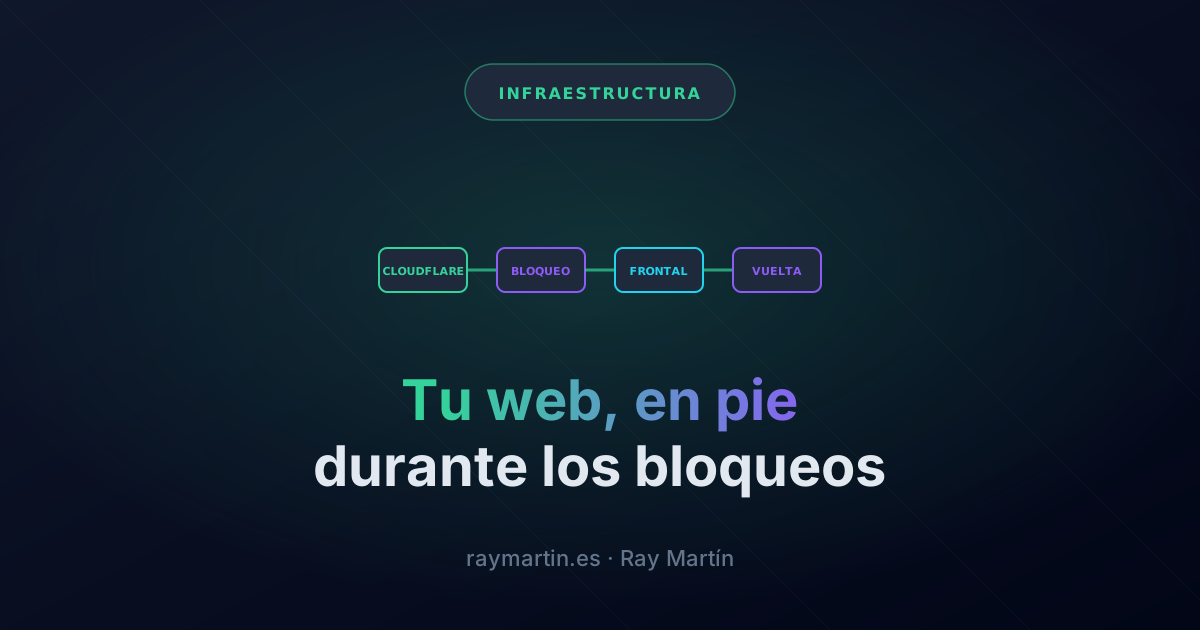
- Have a second entry point ready. The website stays behind Cloudflare the rest of the time and, only during the block, DNS points to a server of your own. That's the approach I explain here.
How does a second entry point work?
The idea has three pieces:
- An entry server in the EU, closed to the internet under normal conditions, that knows how to serve your domains with its own certificate and forward visits to your applications.
- DNS records you can change in seconds. During the block, each domain switches from "proxied by Cloudflare" to "DNS only", pointing to that server, with a low TTL so the change takes effect quickly. The TTL sets how long resolvers can cache a record (RFC 1035). On Cloudflare, proxied records always use 300 seconds and DNS-only records accept values from 60 (Cloudflare documentation).
- An exact way back. Before changing anything, you save how each record was (type, target, proxy, and TTL). When it's over, you restore it exactly as it was, not "more or less how it was".
Note that Cloudflare remains your DNS server the whole time: what gets blocked are the addresses it uses to serve websites, not name resolution. That's why you can change records even in the middle of a block.
What about HTTPS certificates?
This is the most commonly forgotten point. While Cloudflare acts as a proxy, the certificate the browser sees is Cloudflare's. When you point directly to your server, the certificate has to be yours and issued in advance. If you wait for the block to request it, you're too late.
With Let's Encrypt and a reverse proxy like Caddy or Nginx it's easy, with one detail: if your server is closed the rest of the time, validation still has to get through. Keep the validation path (/.well-known/acme-challenge/) out of any redirect and test renewal before you need it.
What do you lose while the block lasts?
During those hours your website doesn't have what Cloudflare puts in front of it:
- Caching. Every request reaches your server. For a typical website that's not a problem, but it's worth knowing.
- Firewall and rate limits. The rules you have on Cloudflare don't apply. Repeat the essential ones on your server: the HTTPS redirect, the www redirect, allowed methods, and a reasonable rate limit.
- Attack protection. You now depend on your hosting provider's protection. Choose one that includes it.
- Whatever Cloudflare serves directly. Files in its storage or functions on its network can't be moved to the server. If they're videos or downloads, you can accept that they fail for those hours; if it's something critical, you'll need to serve it from somewhere else.
Can it be automated?
Yes, but start by hand. A written, tested procedure is worth more than a script nobody has seen fail. When you automate it, add these safeguards:
- Detect using data from Spain. A check from outside Spain doesn't see the block. There are public lists that measure blocked IPs from connections on the main ISPs.
- Missing data is never a block. If the source doesn't respond, comes back empty, or shows an odd jump, nothing changes and you get an alert.
- Hysteresis. Wait several consecutive minutes before switching in either direction, so you don't flap.
- A closed list of records. The automation can only touch the expected records, and before touching one it checks that it's in the expected state.
- Manual override. There must always be a way to force the switch or the way back, and the way back has to work even if the data source doesn't respond.
- Alerts through a channel that doesn't depend on the block. If your alerts go through the same blocked network, they won't reach you exactly when they matter.
Do you need to update your privacy policy?
Yes. During the block, the visitor's connection reaches a different server by a different path, and that server sees their IP. Explain in your policy which server it is, where it is, how it forwards visits, and how long it keeps technical logs. And do it before using it for the first time, not after.
If you're building your own infrastructure, deploying Next.js with Docker gives you the basis for serving an app from your own server, and self-hosted n8n is an example of your own service behind a proxy.
FAQ
Why does my website go down if it has nothing to do with football?
Because the block is done by IP address and Cloudflare serves many websites from the same addresses. The address gets blocked, not the website.
Does changing DNS during the block work even though Cloudflare is blocked?
Yes. What gets blocked are the IPs that serve websites, not Cloudflare's DNS servers, so you can change your records and resolvers will see them.
How long does it take for the change to take effect?
It depends on the record's TTL and on resolver caches. With a low TTL, a few minutes.
Do I need to pay for a higher Cloudflare plan?
Not for this solution. You only need your own server in the EU, a valid certificate, and a tested procedure.