Claude Code is far more than a chat interface with access to your code. When you use it as a simple question-and-answer box, you leave most of its potential on the table. The real difference comes from adopting a structured workflow: explicit plans before executing, subagents for parallel exploration, adversarial verification before declaring a task done, and clear checkpoints between phases. This post covers that methodology — how to move from loose chat to controlled agentic flow.
From chat to workflow
The most basic way to use Claude Code is chat: you describe a problem, Claude proposes a solution, you apply or correct it. This works for small, isolated tasks. But when a task involves multiple files, architectural decisions, or a sequence of steps that build on each other, loose chat breaks down quickly.
The problem isn't the model — it's the absence of process. Without an explicit plan, Claude can optimize the step in front of it while ignoring the constraints of the next one. Without verification, a solution that "looks correct" in the diff can break the type system or violate project conventions. Without checkpoints, a long session accumulates silent technical debt that only surfaces at the end.
A structured process solves this in three dimensions:
- Reduces ambiguity: Explicit specifications before writing code eliminate most iterations caused by misunderstandings.
- Distributes work: Independent tasks can be explored in parallel with subagents without mutual blocking.
- Guarantees output quality: Adversarial verification (a separate perspective actively looking for failures) catches errors before they reach the git history.
In practice, this workflow has five elements: the project contract (CLAUDE.md), a plan before each complex task, subagents for parallel exploration, verification before committing, and phases chained with explicit checkpoints.
CLAUDE.md: the project contract
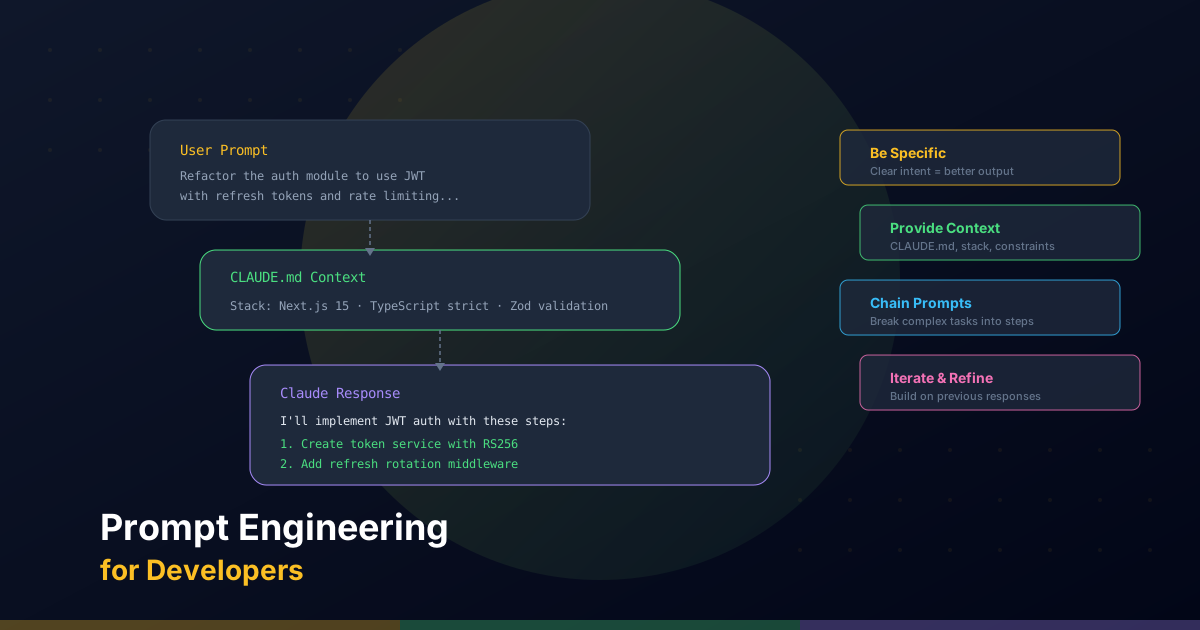
Every time you start a Claude Code session, the CLAUDE.md file at the root of your project loads automatically as persistent context. It's the only mechanism you have to guarantee Claude understands your project before touching a single line of code. Without it, Claude infers conventions from the code it sees — which works, but produces inconsistencies when there are implicit decisions in the project.
Think of CLAUDE.md as a bilateral contract: you document the project's rules, Claude respects them in every session. The most valuable sections are explicit constraints (what not to do) and development commands, because these are hardest to infer from code:
# CLAUDE.md

## Commands
```bash
npm run dev          # Dev server (port 3000)
npm run build        # Prisma generate + Next.js build
npm run lint         # ESLint flat config
npx tsc --noEmit     # Type check without emitting
```

## Stack
Next.js 16 (App Router, Turbopack), React 19, TypeScript strict,
Prisma + PostgreSQL, Tailwind CSS v4, shadcn/ui, next-intl.

## Conventions
- Components: PascalCase. Functions/variables: camelCase. Routes: kebab-case.
- "use client" only when strictly necessary.
- Zod for all API route input validation.
- cn() from utils/classNames.ts (clsx + tailwind-merge).
- Bilingual at data level (Es/En fields), not via message files for the blog.

## Do NOT
- Create test files (no test framework is configured).
- Weaken TypeScript strict mode.
- Add dependencies without justification.
- Modify deployment configuration without explicit permission.
- Commit .env files or secrets.
The key section is "Do NOT." Claude Code respects negative constraints with much higher fidelity than generic positive instructions. If you have a convention that's hard to infer — for example, that all API routes must use a withAuth() wrapper — document it here with an example rather than reminding it in every prompt.
CLAUDE.md can also have nested sections with directory-specific instructions. An app/admin/CLAUDE.md file can include context about the admin panel that isn't relevant to the rest of the project. Claude loads them in cascade: root first, then directory-specific ones for the current working path.
Plan before executing
For any task touching more than two or three files, the cost of writing an explicit plan before executing always pays off. Not because Claude can't improvise — it can — but because the plan creates a shared agreement between you and the agent about what's going to happen, in what order, and with what constraints.
The flow is: spec → plan → execution.
The spec is a natural language description of what you need, with relevant context: which files are involved, what behavior should change, what constraints apply. It doesn't have to be long — two well-written paragraphs are better than ten vague ones.
The plan is what Claude generates from the spec: a numbered list of steps with the files each one will touch. Claude Code supports a planning mode where you ask it to investigate the codebase, propose a full plan, and present it for your approval before writing a single line of code. Use it for complex tasks.
In practice, the planning prompt looks like this:
Before writing any code, generate a numbered implementation plan for this task:

**Task:** Add server-side pagination to the admin post listing.

**Context:**
- The endpoint is in app/api/admin/blog/route.ts
- The client component is components/admin/BlogList.tsx
- Pagination should be via query params (?page=1&limit=20)
- Use the existing withAuth() pattern for authentication

**Constraints:**
- Do not modify the Prisma schema
- Maintain compatibility with existing tag filters

Present the plan. Do not write code until I approve it.
This prompt produces a plan you can review, correct, and approve before Claude starts editing files. If the plan has an incorrect step, you fix it in the plan — not in the 200-line diff that comes afterwards.
Parallel subagents
Claude Code can launch subagents: separate model instances that work in parallel on independent tasks. Each subagent has its own context, its own tools, and doesn't block the main agent while it works.
The most useful pattern is exploration fan-out: when you need to investigate multiple parts of the codebase without one result conditioning another. For example, before designing a new feature that affects multiple subsystems, you can launch parallel subagents to:
- Audit the Prisma schema and related models.
- Map the existing API endpoints that will need changes.
- Review the UI components that will consume the new data.
All three subagents work in parallel and return their reports to the main agent, which synthesizes them into a coherent implementation plan. This is significantly faster than sequential exploration.
The other subagent pattern is parallel execution of truly independent tasks. If you need to add the same data structure to three sections of the admin (say, an SEO metadata field to posts, authors, and tags), you can delegate to three subagents working in parallel. The only precaution is that the tasks must not touch the same files — if they do, manual merge conflicts eat up the time saved.
For subagents to work well, their prompts must be completely self-sufficient: include the project context, relevant files, applicable conventions, and success criteria. A well-briefed subagent is like a colleague who walks into the room with all the context needed to make decisions, not someone you have to explain the project architecture to from scratch.
Adversarial verification
The most expensive mistake in agentic workflows is accepting the first result that "looks correct." Claude Code is very good at generating code that compiles and satisfies the literal description of the task — but that's not the same as correct, secure, and consistent with the existing system.
Adversarial verification is the antidote: before declaring any task done, subject the result to a review process that actively seeks failures, not one that confirms success.
The minimum verification flow has three steps:
- Automated technical verification:
npm run lint && npx tsc --noEmit(or the equivalent in your stack). If this fails, nothing else matters. - Diff review:
git diffto see exactly what changed. Unexpected changes (files that shouldn't have been touched, behaviors that were implicitly modified) show up here. - Adversarial review by subagent: Launch a subagent with the diff and change context, with the explicit instruction to look for problems — not to validate that the code is correct.
The adversarial review prompt looks like this:
You are a senior code reviewer with an adversarial mindset. Your job is to find
problems in this diff — not to confirm it is correct.

**Change context:** Server-side pagination was added to the admin posts endpoint.

**Diff:** [git diff content]

Look specifically for:
1. Logic bugs (off-by-one, unhandled edge cases)
2. Security issues (unvalidated inputs, bypassable auth)
3. Regressions (existing behavior that may have broken)
4. Inconsistencies with project conventions
5. Frontend use cases that won't work with the new API

Return only real problems. If there are none of significance, say so.
A subagent reviewing with this prompt frequently finds things the implementing agent missed: a field that is now optional when the frontend treats it as required, a page 0 pagination case that throws an error, a Prisma query that ignores the index and becomes slow at scale.
Adversarial verification isn't distrust in the model — it's recognizing that any implementer (human or agent) has blind spots in their own work.
Chaining phases without losing control
Complex tasks are rarely a single step. They have phases: exploration, design, implementation, verification, refinement. The risk of an unstructured agentic workflow is that phases collapse — implementation starts before the design is consolidated, or verification gets skipped because "it already looks good."
The solution is chaining phases with explicit checkpoints: points where you review the state before authorizing the next step. This doesn't slow down the work — it slows down mistakes, which is exactly what you want.
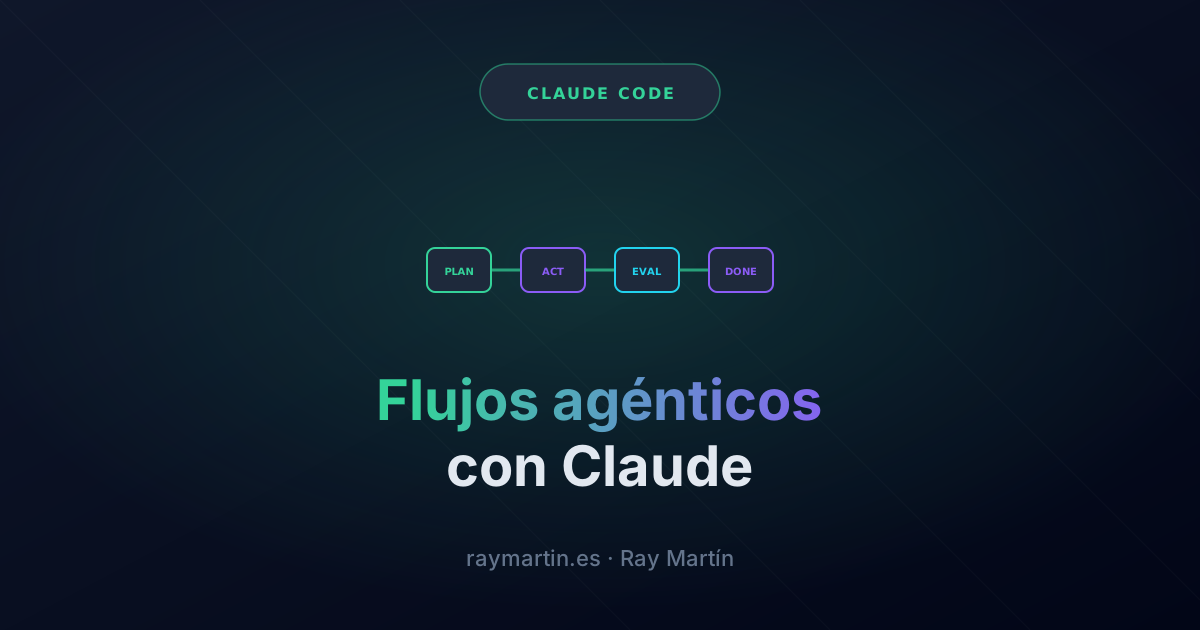
A robust chaining pattern for a significant feature:
- Phase 1 — Exploration: Parallel subagents audit the affected parts of the system. Checkpoint: you review the reports and validate that the scope is correct.
- Phase 2 — Plan: The main agent synthesizes the reports and generates an implementation plan. Checkpoint: you approve the plan or correct it before files start being edited.
- Phase 3 — Implementation: Execution in blocks (not all at once). After each block, a quick
git diffto confirm the direction is right. Minor checkpoint after each block. - Phase 4 — Verification: Lint + type check + adversarial review of the full diff. Checkpoint: found problems are prioritized and you decide which ones block the commit.
- Phase 5 — Commit: Only when verification gives the green light. A commit message that describes the why, not the what.
The key to this chaining is that each checkpoint is your decision, not an automation. Claude proposes; you decide. This keeps human control at the moments that matter without sacrificing the speed of agentic execution.
For projects with lefthook or pre-commit hooks configured, the technical verification from Phase 4 can be partially automated: the hook runs lint and type check before each commit and fails if there are errors. This adds a safety net that catches the cases where manual verification was skipped.
The complete guide
This post covers the foundational methodology for working with Claude Code beyond chat. The PDF guide expands each element with ready-to-use templates and workflows specific to each task type:
- CLAUDE.md templates by stack: Next.js + Prisma, Turborepo monorepo, Node.js API, component library — with the most common sections and constraints already filled in.
- Practical hooks: Prettier post-edit, type check post-write, auto-stage of related files — complete settings.json configuration with commented examples.
- Custom skills: How to write project-specific Claude Code skills (code review, component generation, schema migration) and how to invoke them from the editor.
- Workflows by task type: New feature, bugfix, refactoring, database migration, dependency update — each with its own phase sequence and adapted checkpoints.
- Review checklist: Adversarial verification checklist ready to use, with the 15 points that most frequently reveal problems in agent-generated code.